Tuesday, September 27, 2016
Saturday, September 17, 2016
September 2016 Facebook Promotion
September 2016 Promotion - 20% OFF ANY SERVICE
It's that time again! Use this Facebook offer to save 20% off any
service related work. SIMPLY LIKE FASTRHINO ON FACEBOOK THEN MENTION
20OFF2016 TO GET YOUR DISCOUNT!
Monday, February 1, 2016
Online Fraud Awareness
| Online Fraud Awareness by Merlin Benningfield, Managing Partner - Fast Rhino, LLC |
|||
My friend, Officer Elijah Woodward of the Oro Valley Police Department,
asked me to join him at the
inaugural Fraud School, held February 1, 2016 at the Oro Valley Council
Chambers. The topic he asked me to cover was online fraud, specifically
fake tech support, a widely used form of social engineering. Since we
see and hear about this sort of thing almost daily at Fast Rhino, it
seemed like a good opportunity to help spread the word to those who
might otherwise become prey to the scammers who are conducting these
types of crime.
The Event The Pima County Sheriff’s Department, Oro Valley Police Department, Marana Police Department, U.S. Postal Inspection Service and IRS Criminal Investigations came together to help share information about the different types of fraud at large today. Attendees learned how to identify current scams, keep themselves and their personal data safe. Things you can do to avoid Online Scams
| |||
Tuesday, November 3, 2015
Windows 10 - Just Because you can doesn't mean you should.
| To Windows 10 or not to Windows 10? by Merlin Benningfield, Managing Partner - Fast Rhino, LLC |
|||
|
Since the end of July 2015, many of us have had the "privilege" of seeing the Windows 10 upgrade icon constantly nagging us to download and install Microsoft's newest operating system. Unless you know what you are getting yourself into, the process of clicking on the link and following the prompts to upgrade might seem like an obvious decision. Most people want the latest and greatest of everything, but with Windows 10, you might want to rethink the consequences of upgrading, especially based on the results that many of our clients have already experienced. Impartial Law At first, this article may sound quite negative to Microsoft's latest operating system, however, based upon our experiences so far, my opinion is that the trade-offs still do not outweigh the costs. I am hopeful that things will be different in time, but for now, these are just a few of the pitfalls we're witnessing. For those who have not yet taken the leap to Windows 10, we hope this article gives you some ideas on what to expect should things go south. For those who have successfully upgraded and see no problems, we salute your bravado and we wish your good fortune on everyone else. Curiosity Killed the Cat In less than a two month period, we have had roughly 50-60 clients call or come in to our computer store with systems that were corrupted after attempting to upgrade to Windows 10, many times unable to boot. This has resulted in repair costs that frankly could have been avoided altogether by not upgrading. There is a reason Microsoft suggests you backup your data before upgrading. They realize that your operating system is a critical installation and they also realize that they are pushing the operating system to you via the Internet, which is not perfect, even in today's high-tech world. Simply put, there are multiple hubs, switches, and routers between your computer and Microsoft's servers that provide the Windows 10 package. If you lost even a few packets of data during download, you'd end up with a corrupted installation. This process of installing the unknown is basically a roll of the dice. If you really want to avoid a possible corrupted download and get a more reliable installation, you can buy the operating system on a disc. Features one can't live without For many, this is too stupid to be stupid. I'm not aware of any major benefits of upgrading to Windows 10 that the average user will actually use. Those who might disagree with me could mention Cortana, the Windows Phone assistant and Microsoft's new Edge browser. Yes, nice, but not required. If you upgraded to Windows 10 from Windows 8 or 8.1, having a start menu again may be the only real benefit. Drunk Drivers During the process of upgrading to Windows 10, you are provided with a list of hardware and software incompatibilities. This list is not always complete or correct, so don't be too surprised if various drivers stop working properly post Windows 10. This has also been a common thread we see and hear daily. Checking with the manufacturer of your system prior to upgrading may provide better insight as to whether there are Windows 10 supported drivers for your specific model. Several people ask, "How can Microsoft afford to give away their new operating system for free?" Understand that there is an underlying motive to this. It's all about getting you into an environment where the most convenient way to purchase new software is through the Microsoft Store, where Microsoft makes a piece of each and every sale. They are mimicking Apple's business model by becoming the primary source of "apps" within Windows, which is all tied around your Microsoft account. Many people are embracing this new model, but do we really want to be forced into a pay-per-use system, one that will cost the consumer much more in the long run? | |||

Tuesday, September 1, 2015
Downloading? Remember RUSSIA
Downloading? Remember R.U.S.S.I.A.
by Merlin Benningfield, Managing Partner - Fast Rhino, LLC
Anytime I want to download a program from the Internet I think of RUSSIA, don’t you? No, I’m not talking about the former USSR. And no, I’m not sharing files with Putin. I’m talking about an easy to remember acronym that is simple to follow: R.U.S.S.I.A.
The R in RUSSIA stands for Research. Before you download anything, you better research it. It is vital to know as much about what you are downloading, who the author is and the where on the web where you plan to download it.
The U in RUSSIA stands for Uncheck. Have you ever seen those pre-checked “optional offers” when downloading a program? Even the major companies like Adobe and Oracle are doing it. You have to be on your guard and keep a watchful eye on making sure that you Uncheck what I like to call “Stowaways”. These “Stowaways” are usually useless toolbars or other garbage offers. Not only can they be resource hogs (meaning that they’ll make your system run slower), but they can also change your home page or your default search engine. These “optional” programs are not required to install the main program, so remember to Uncheck them.
The first S in RUSSIA stands for Save. Depending on how your system is configured, you may have the option to Run or Save a downloaded program. We highly recommend that you Save it because you're not quite ready to install it. When you Save it, make a mental note as to where on your hard drive it is located. On a Windows system, browsers usually save files to your Downloads folder.
The second S in RUSSIA stands for Scan. Now that we’ve saved the program to our hard drive, we should now Scan it with our anti-virus or anti-malware program. This extra step can make all the difference in the world, because no matter how much research we’ve already done, getting a second opinion from an industry reference is always a good idea. Scan the file or Scan the entire folder if you like. There’s no need to be in a hurry.
The I in RUSSIA stands for Install. We’ve come a long way to get here. But now we’re faced with the moment of truth. Is this program safe to Install? Nothing is guaranteed, but we’ve followed some fairly safe procedures in making sure it’s safe.
Finally, the last letter in RUSSIA, the A, stands for Authenticate. By Authenticating, we will be verifying that no other “Stowaways” have been installed, no strange new toolbars have been attached to our browser and our home page is still intact. We can also check our Programs and Features list to make sure the new installed program is the only recently installed program. By Authenticating what we’ve done, we will also run scans again to verify that no malware has made it onto our system.
And that is why you should think of RUSSIA each and every time you want to download anything from the Internet.
by Merlin Benningfield, Managing Partner - Fast Rhino, LLC
Anytime I want to download a program from the Internet I think of RUSSIA, don’t you? No, I’m not talking about the former USSR. And no, I’m not sharing files with Putin. I’m talking about an easy to remember acronym that is simple to follow: R.U.S.S.I.A.
The R in RUSSIA stands for Research. Before you download anything, you better research it. It is vital to know as much about what you are downloading, who the author is and the where on the web where you plan to download it.
The U in RUSSIA stands for Uncheck. Have you ever seen those pre-checked “optional offers” when downloading a program? Even the major companies like Adobe and Oracle are doing it. You have to be on your guard and keep a watchful eye on making sure that you Uncheck what I like to call “Stowaways”. These “Stowaways” are usually useless toolbars or other garbage offers. Not only can they be resource hogs (meaning that they’ll make your system run slower), but they can also change your home page or your default search engine. These “optional” programs are not required to install the main program, so remember to Uncheck them.
The first S in RUSSIA stands for Save. Depending on how your system is configured, you may have the option to Run or Save a downloaded program. We highly recommend that you Save it because you're not quite ready to install it. When you Save it, make a mental note as to where on your hard drive it is located. On a Windows system, browsers usually save files to your Downloads folder.
The second S in RUSSIA stands for Scan. Now that we’ve saved the program to our hard drive, we should now Scan it with our anti-virus or anti-malware program. This extra step can make all the difference in the world, because no matter how much research we’ve already done, getting a second opinion from an industry reference is always a good idea. Scan the file or Scan the entire folder if you like. There’s no need to be in a hurry.
The I in RUSSIA stands for Install. We’ve come a long way to get here. But now we’re faced with the moment of truth. Is this program safe to Install? Nothing is guaranteed, but we’ve followed some fairly safe procedures in making sure it’s safe.
Finally, the last letter in RUSSIA, the A, stands for Authenticate. By Authenticating, we will be verifying that no other “Stowaways” have been installed, no strange new toolbars have been attached to our browser and our home page is still intact. We can also check our Programs and Features list to make sure the new installed program is the only recently installed program. By Authenticating what we’ve done, we will also run scans again to verify that no malware has made it onto our system.
And that is why you should think of RUSSIA each and every time you want to download anything from the Internet.
Friday, April 10, 2015
Measuring real value when buying a computer
| Measuring real value when buying a computer by Merlin Benningfield, Managing Partner - Fast Rhino, LLC |
|||
|
Buying a computer today is easy. The trick is to find a supplier who
will provide the best overall sales value and one you can count on after
the sale to help you when things don't work the way they should. And
let's face it, electronics, even in this day and age, are still not
perfect.
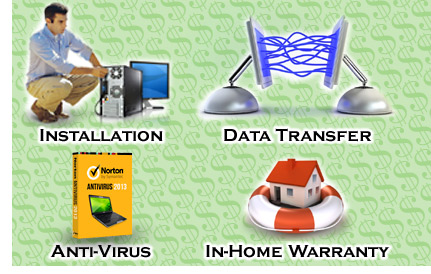
Data Transfer Most people who are in the market for a new computer are most likely wanting to replace their old one, which may be slowing down or just isn't cutting today's technological mustard. If that's the case, finding a computer source willing to transfer your data would be a good start. This process, if done correctly, should place all your documents, photos, music, addresses and emails in their respective places on the new system. Be careful that the supplier doesn't simply copy everything to one folder and expect you to sort through and then organize all the data. Installation Finding a supplier who provides professional installation is another plus. Hooking up your network and installing your printer correctly are also added values that take time but can also prevent unwanted headaches. Make sure the installer is also a certified technician. There can be a number of technical issues that occur during installation such as hardware or software compatibility problems, data configurations or custom environmental settings. In-Home Warranty Most standard one-year warranties sound the same. If something goes wrong, you can either take it back to where you bought it or call a toll-free support line, stay on hold for a while, then have an intimate conversation with someone overseas for a few hours. We find that most people prefer an in-home warranty. Anti-Virus One of the hidden costs associated with buying a new computer is software. Most systems come with pre-loaded versions of anti-virus that only last 30 to 90 days. You should also consider the option of transferring your existing compatible software licenses to the new system, instead of burdening yourself with additional costs to replace these titles. The Fast Rhino Value At Fast Rhino, we include professional installation, data transfer, one year of anti-virus protection, and a one year in-home warranty with every new system we sell. These items are all-inclusive in the price of the system, which make the overall value something worth considering. | |||
Wednesday, December 3, 2014
Tired of anti-service?
| Tired of anti-service? by Merlin Benningfield, Managing Partner - Fast Rhino, LLC | ![]() |
||
Exactly where has good customer service gone? We remember the day, not so long ago, when businesses treated their
customers like real people. How can we best deliver value to our clients? How would we like to be treated if we
were on the other end of this transaction? Isn't business really about helping others? The answers to these
questions should be defining priorities for any business, no matter the size. Sadly, it seems that these questions
are not even asked anymore.
One might think that the advent of the Internet should have increased the levels of customer service, opening new channels of communication and allowing customers to provide direct feedback to sellers. On the contrary, this digital landscape seems to have created barriers, allowing sellers to hide behind their web sites and diminish the importance of basic customer care. It may be possible that social media can get us back on the straight and narrow. Once enough people complain in an open forum, the companies who have previously turned their back on customer service may change their tune.
The real solution is in the hands of the consumer. Where you decide to
spend your money can be the loudest voice heard in
the marketplace. If you don't like the way a company treats you, you can
always shop somewhere else. An ongoing problem with this
theory is that many people have lacked good customer service for so
long, they've forgotten what it is.
At Fast Rhino, we'd like to remind people what they've been missing. If you are not happy with your existing computer repair firm, we challenge you to compare our service with any other competitor. We think you'll find us a totally different kind of company who hasn't forgotten the meaning of good customer service. | |||
Subscribe to:
Posts (Atom)